


What is the best free OnlyFans downloader for Chrome?
There is no single "best" free OnlyFans download extension. Before installing, verify that the developer is trustworthy, check the requested permissions, and review recent user feedback.
Did you know that there are many Chrome extensions that can help you download OnlyFans videos? This article will share the top 7 reviewed OnlyFans downloader Chrome extensions in 2026. If you haven't tried using any Chrome extension to download OnlyFans videos, this article will open up a whole new world for you!
Let's get straight to the point. This section will list 7 OnlyFans downloader Chrome extensions that have been reviewed and are effective so far. And we will try to describe different OnlyFans downloader Chrome extensions in terms of ratings, advantages, and disadvantages.
| Chrome Extension | Ratings | Batch Download | Format Support | Price |
| Bulk Media Downloader | 3.8 / 5 | ✔ | MP4 | Free |
| StreamFork | N / A No Chrome Web Store rating |
✔(paid) | MP4 | Free + paid features |
| Video DownloadHelper | 4.7 / 5 | X | MP4, MKV, WebM | Free with limits |
| Video Downloader Professional | 4.6 / 5 | X | MP4 | Free |
| Video Downloader Pro | 4.3 / 5 | X | MP4 | Free |
| Video Downloader VeeVee | 4.3 / 5 | ✔ | MP4 | Free |
| FetchV | 4.9 / 5 | X | MP4, WEBM | Free |
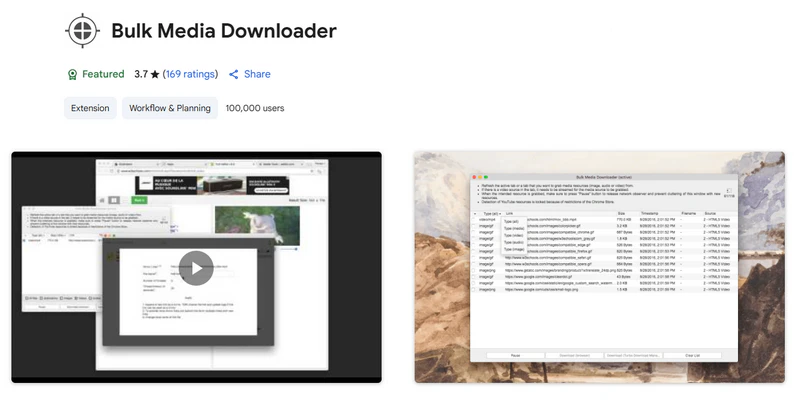
Bulk Media Downloader collects various media file resources (images, audio, and videos) and allows you to download them in bulk using the default download manager of your Chrome or a custom download manager. This means that with this OnlyFans downloader extension you can download OnlyFans images, audio, and videos in bulk, and it will not have any impact on browser performance when the grabber window is closed.
|
|
Step 1: Search for Bulk Media Downloader in the Chrome Web Store and click "Add to Chrome".
Step 2: After adding successfully, open the OnlyFans website in Google Chrome, then select your favorite OnlyFans video to start playing.
Step 3: Click the " " button in the upper right corner of Google Chrome and select Bulk Media Downloader; a grabber window will appear.
Step 4: When you play an OnlyFans video, the grabber will start grabbing media resources from OnlyFans. And once the word "video" appears, you can pause grabbing and choose to download the OnlyFans video.
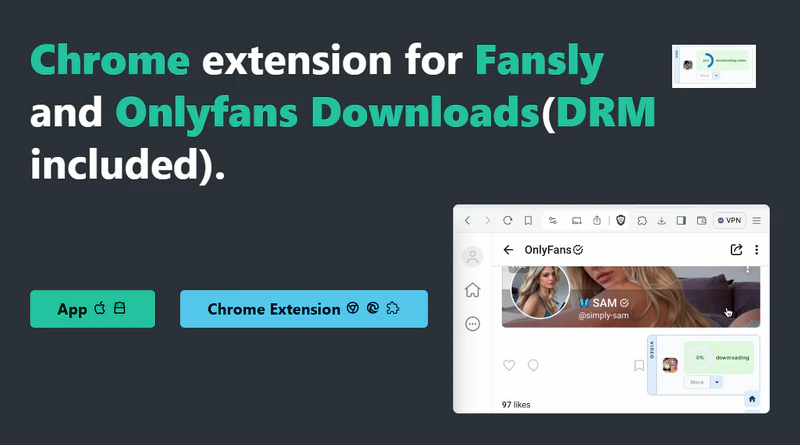
StreamFork is available as a browser extension (Chrome, Microsoft Edge, and Brave), and it also has dedicated mobile apps. It is mainly used to download videos and pictures from OnlyFans and Fansly. The most important thing is that StreamFork allows you to download DRM-protected videos from OnlyFans.
|
|
Step 1: Find the Chrome extension installation package of OnlyFans downloader on the StreamFork website and add it.
Step 2: Open the OnlyFans website, and you will find a download button at the bottom of each video posted.
Step 3: Click the " " button to select the video resolution you want to download.
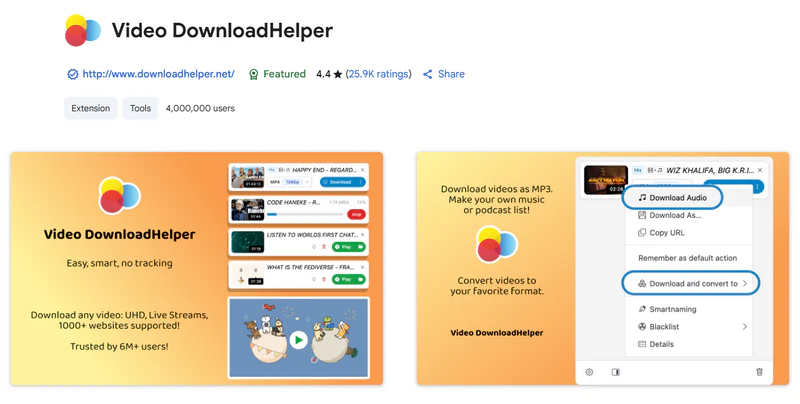
Video DownloadHelper is a popular Chrome extension with over 6,000,000 users. It also has more than 35.8K ratings in the Chrome Web Store. If you are looking for a reliable OnlyFans downloader Chrome extension, Video DownloadHelper is a good choice. It supports 1000+ websites, preserves OnlyFans HD videos, and converts to your favorite formats (MP4, MKV, WebM, etc.).
|
|
Step 1: Open the Chrome browser, visit the Chrome Web Store, and search for "Video DownloadHelper." Once you find the extension, click the "Add to Chrome" button.
Step 2: Open the OnlyFans website and log in with your account. Navigate to the video page you want to download.
Step 3: Play the video and click the Video DownloadHelper icon on the toolbar. It will show a download list of all the downloadable videos on the current page.
Step 4: In the download list, select the video format (MP4) and quality (720p/1080p) you want to successfully download OnlyFans videos.
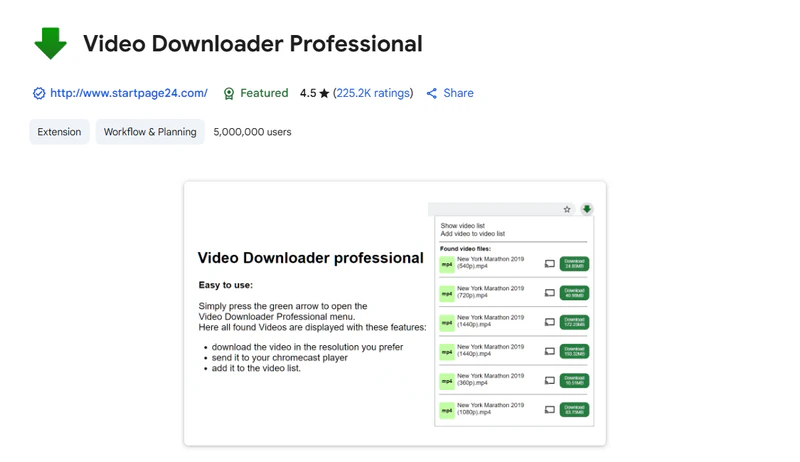
Video Downloader Professional is designed for downloading videos from web pages. It also provides a simple and easy-to-use interface that allows you to easily add and use it. No matter which browser you are used to, you can quickly download videos on OnlyFans through this plug-in.
|
|
Step 1: As with all extensions, you'll need to search for and add Video Downloader Professional from the Chrome Web Store.
Step 2: Log in to the OnlyFans and play the video you want to download. When the video starts playing, this OnlyFans downloader Chrome extension will automatically detect the video resource and display an " " icon on the top.
Step 3: Select your desired video format (MP4) and quality (720p or 1080p), then just click the "Download" button.
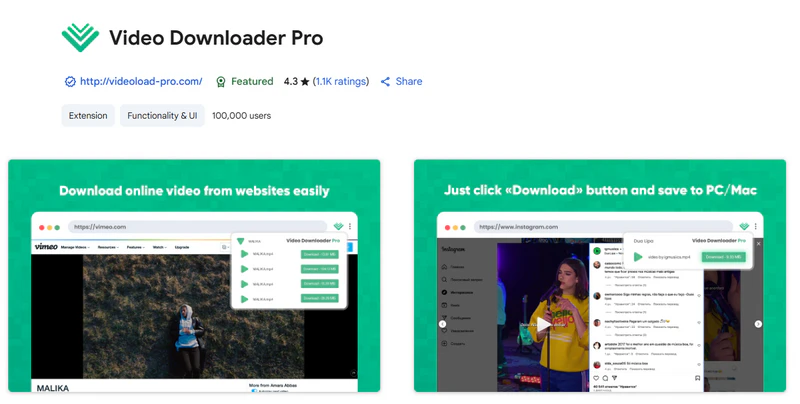
Video Downloader Pro has over 1K ratings on the Chrome Web Store, and over 100,000 users have added and used this extension. It was last updated in January 2026. Downloading OnlyFans videos with Video Downloader Pro is very simple; just add the extension, select the desired format and quality, and click "Download."
|
|
Step 1: Search for the extension name in the Chrome Web Store and add it.
Step 2: Open the OnlyFans website in Google Chrome and play the OnlyFans video you want to download. Access the Chrome extension Video Downloader Pro at the top.
Step 3: When you play an OnlyFans video on a web page, it will automatically begin detecting the media stream. Once it is analyzed successfully, a download button will appear.
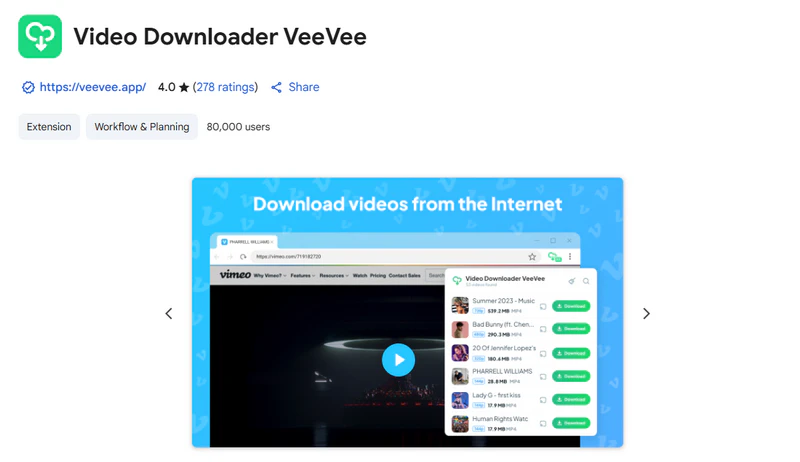
Although Video Downloader VeeVee is a web extension, its download interface is very rich, providing a preview button, a download QR code to save videos on mobile phones, and share TV playback buttons. If you want to save OnlyFans videos on your computer, mobile phone, and TV, Video Downloader VeeVee is a good OnlyFans downloader chrome extension.
|
|
Step 1: After adding Video Downloader VeeVee in Google Chrome, reopen and log in to your OnlyFans account, then play the OnlyFans video. (This is consistent with steps 1 and 2 of most OnlyFans downloader Chrome extensions)
Step 2: When the video starts playing, you can click the Video Downloader VeeVee " " icon on the top toolbar. Then select the OnlyFans video format, resolution, mobile download QR code, or TV play button you want on the page.
Step 3: Preview the OnlyFans video you want to download in the window and select the resolution to start downloading.
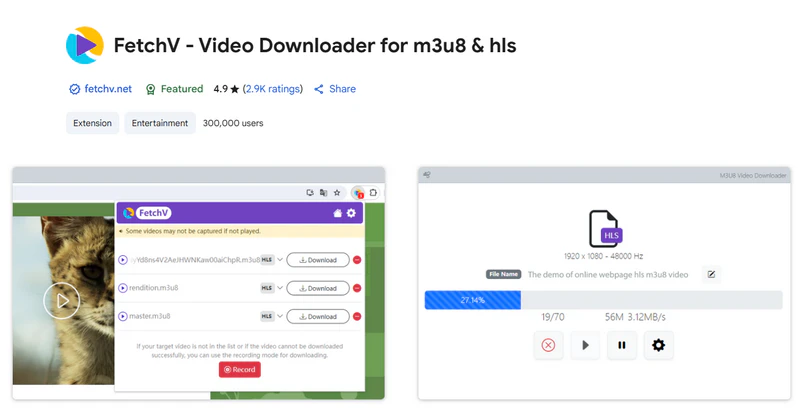
FetchV not only supports OnlyFans videos but also HLS videos (streaming videos indexed by m3u8 files). If you encounter a video detection failure, you can use "Record" to convert the cached OnlyFans videos to MP4 files. Just like other OnlyFans downloader Chrome extensions, FetchV can select the resolution of OnlyFans videos, but what makes it stand out is that it allows you to modify the file name, which makes it easier for you to integrate OnlyFans local resources.
|
|
Step 1: Similarly, search and add the FetchV extension in the Chrome Web Store. Then open the OnlyFans webpage and play the video.
Step 2: Click the FetchV " " icon on the top toolbar, and it will display a pop-up window listing all the downloadable videos on the current page.
Step 3: Click the "Download" button and FetchV will open a new tab to start downloading the OnlyFans video.
Whether it is safe to use the OnlyFans Downloader Chrome extension requires a comprehensive consideration of many factors. Many OnlyFans Downloader Chrome extensions are not from the official Chrome Web Store, such as StreamFork, which is a third-party source. The security of these extensions cannot be fully guaranteed. Extensions installed outside the Chrome Web Store may require broader permissions or manual installation. Please carefully review the permissions requested, especially access to website data, tabs, browsing activity, or downloaded files.
Chrome Web Store availability and high ratings can be useful reference points, but they should not be treated as a guarantee of safety.
Although OnlyFans downloader Chrome extensions can avoid installation steps and download videos directly from the web page, their security and stability are uncertain. Therefore, this section will introduce two desktop applications, which are highly recommended!
Trustpilot Ratings: 4.8 / 5
Any Video Converter is a desktop downloader that supports OnlyFans links, allowing users to save accessible videos in formats such as MP4, M4A and MKV. Compared to browser extensions, it is better suited for users who need to manage multiple links in a single download queue or wish to perform further video processing after downloading.
Users can download the best OnlyFans video quality depending on the source content and the streaming quality provided by OnlyFans. As it operates as a desktop application rather than a browser extension, there is no need to install an extension that accesses your browser activity data. However, users should still download the software only from the official website and keep the application updated.

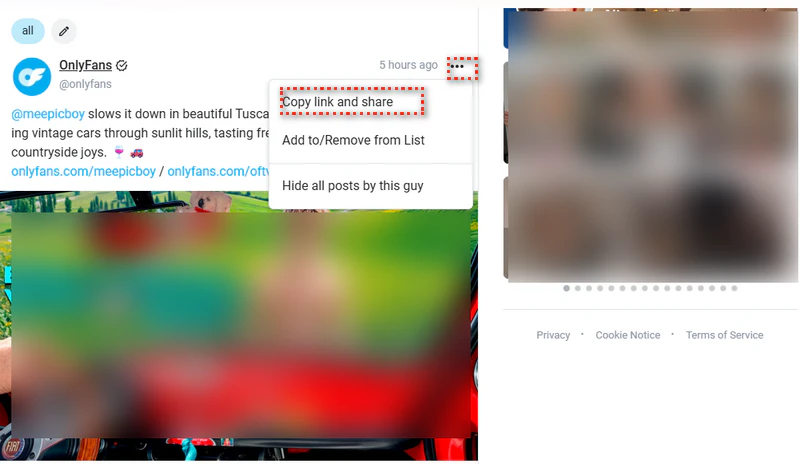
Step 1 Open the OnlyFans Website
Click "..." on the website page, then click "copy link and share".
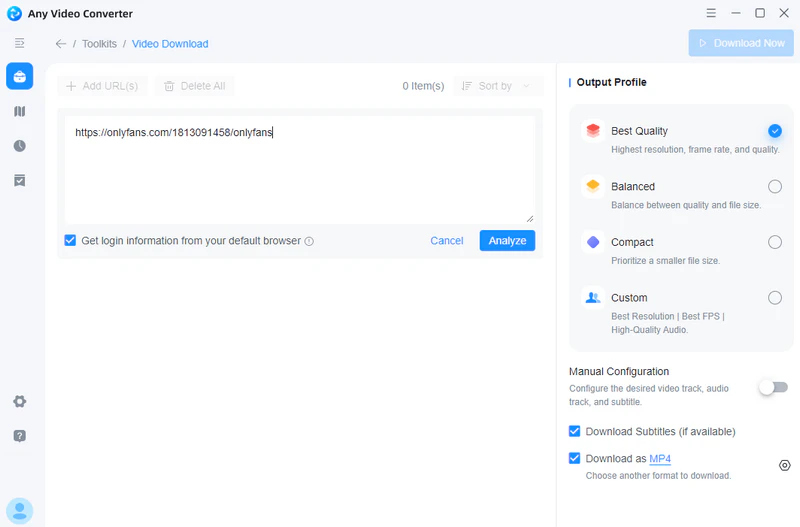
Step 2 Switch to Our OnlyFans Downloader
Select the Video Download tool, then press Ctrl+V on Windows or Command+V on macOS. This OnlyFans downloader will automatically start analyzing the video.
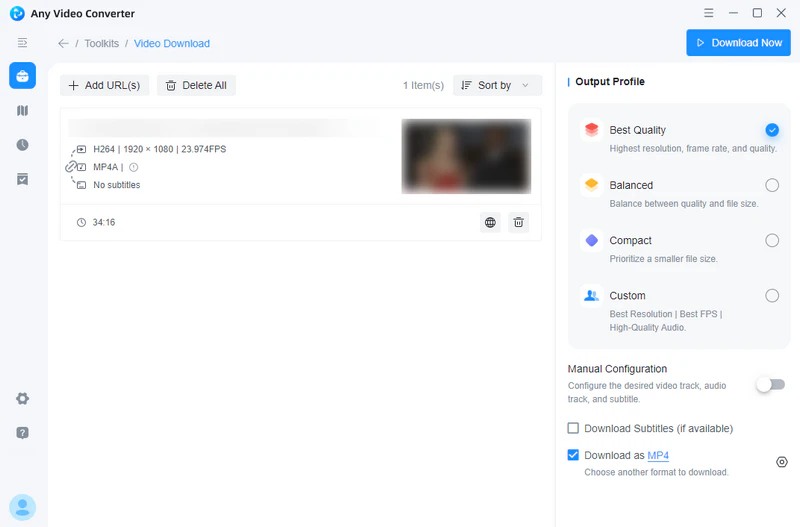
Step 3 Start Video Settings
After the analysis is successful, you can start the video settings on the right toolbar. If you want to download the highest available quality, you can select the "best quality." If you want MP4 format, you can select "Download as MP4" at the bottom.
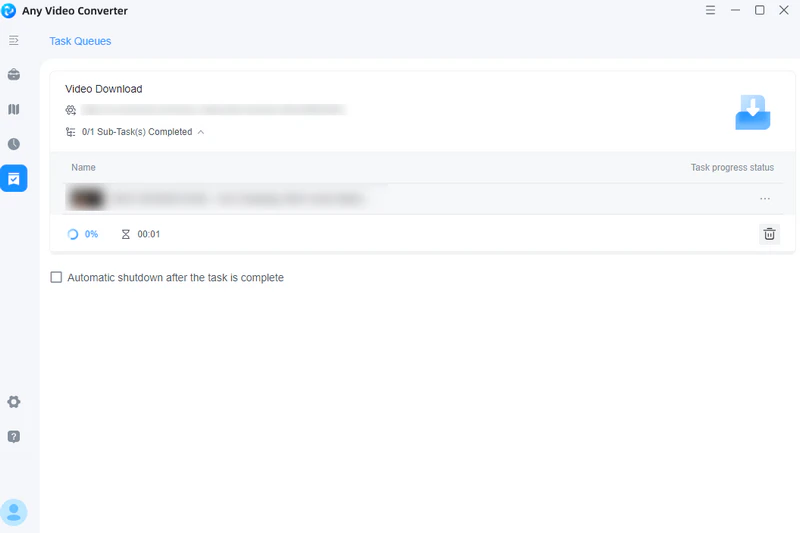
Step 4 Download OnlyFans Videos
Click the "Download Now" button in the upper right corner to get the OnlyFans MP4 file.
This OnlyFans downloader Chrome extension alternative supports downloading videos from multiple major platforms, including OnlyFans, YouTube, Netflix, and Vimeo. This program has built-in popular streaming sites, which allow you to log in to the OnlyFans website and download videos directly from the program. You can also use this downloader to download OnlyFans videos in HD quality and customize the output parameters of the video download, such as format, resolution, etc., to ensure an offline viewing experience.
Step 1 Download and Launch this OnlyFans Downloader
Step 2 Choose OnlyFans
Scroll down the support list in the program, click OnlyFans at the bottom, and log in to your account.
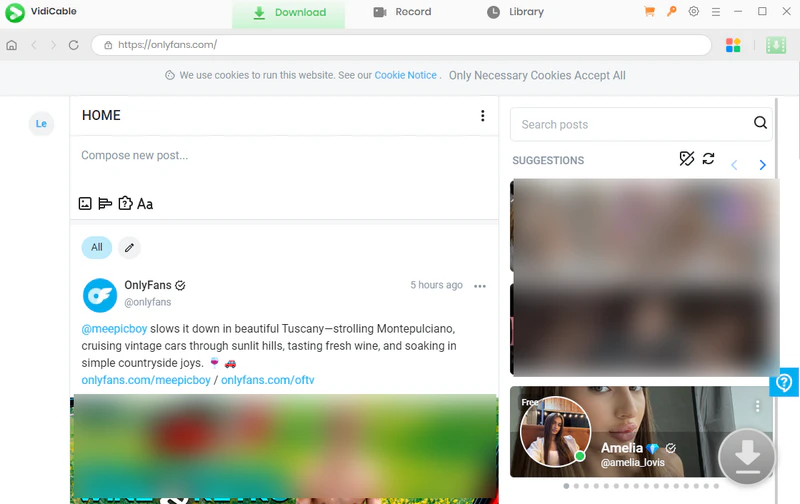
Step 3 Set Download Configuration
Before you start downloading videos, click the Settings button on the top to set the output format (MP4/MKV), quality, output folder, etc.
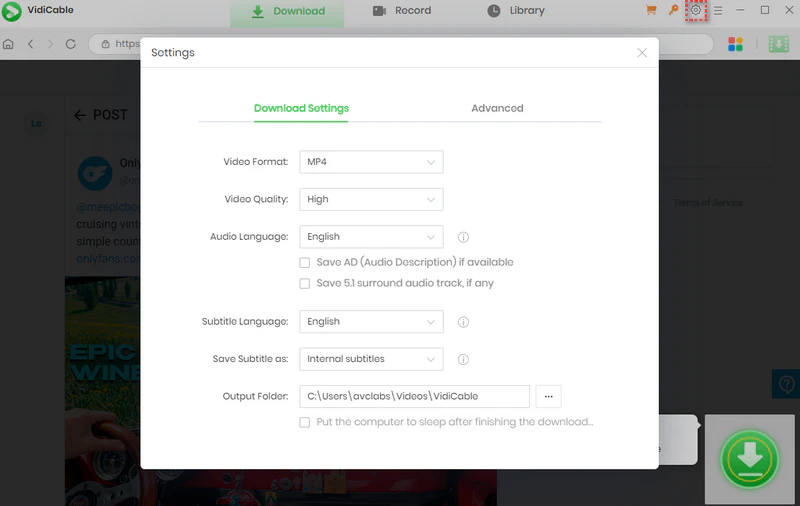
Step 4 Search for OnlyFans Videos
Search for the OnlyFans content you want to save in the built-in OnlyFans website.
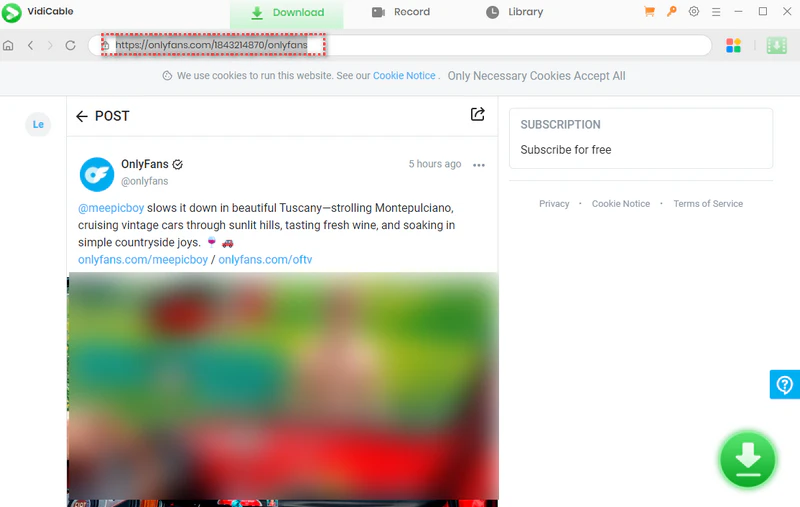
Step 5 Download OnlyFans Videos
Click the green button in the bottom-right corner to start downloading OnlyFans videos.
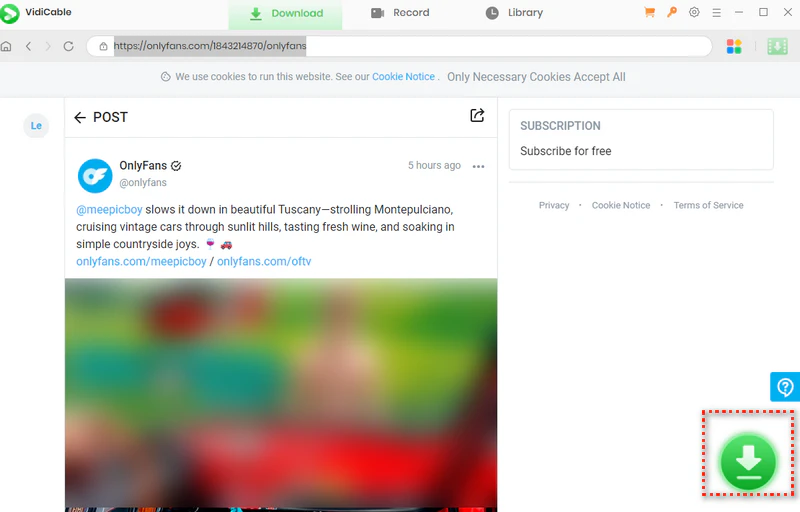
There is no single "best" free OnlyFans download extension. Before installing, verify that the developer is trustworthy, check the requested permissions, and review recent user feedback.
Bulk Media Downloader can detect images that are already loaded on a webpage. If you use this OnlyFans Chrome extension, only save images you own or have permission to download.
Our program has a specific Screen Record tool.
Step 1: Select the Screen Record tool in toolkits.
Step 2: Set the recording quality in Output Profile.
Step 3: Click "Select Area" to select the recording area and start recording the OnlyFans video.
This article provides you with a detailed introduction to the top 7 OnlyFans Downloader Chrome Extensions that have been reviewed and effective in 2026, and explains the pros and cons of each extension, as well as how to use it. In addition, two safe and reliable desktop OnlyFans downloaders are provided as alternatives.
Whether you want to download OnlyFans videos in batches, support HD quality, or need a simple and easy-to-use downloader, this article provides you with a wealth of options. When using any download tool, please make sure that your behavior complies with OnlyFans'Terms of Service, and respect the copyright of content creators. We hope this article helps you find the most suitable OnlyFans download solution for you and enjoy a worry-free watching process.

Besty Smith is a talented and insightful content creator with a keen interest and passion for software programs. She focuses on in-depth research and hands-on experience with various types of software, providing readers with in-depth and inspiring content through precise writing. With her keen insight into the software industry, Besty is committed to helping readers keep abreast of the latest industry trends so that they can stay competitive in the digital age.